
When your site breaks, put yesterday's back.
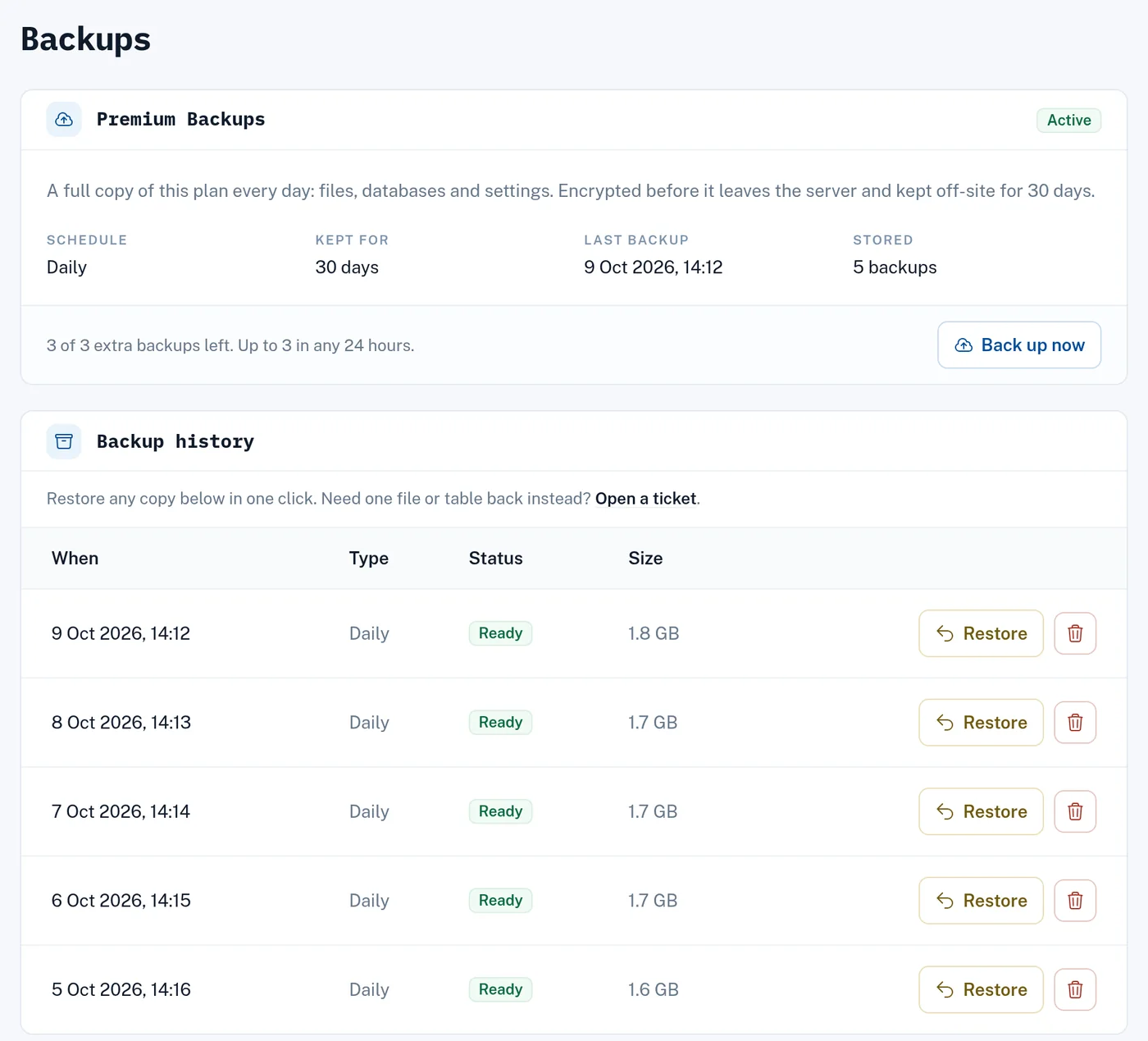
A bad update, a deleted page or a failed server shouldn't cost you the site. Premium Backups copies every site on your plan every day, files and databases, keeps 30 days of copies off-site, and puts any of them back in one click.
Daily
a full copy, every morning
30 days
of copies to go back to
Off-site
encrypted before it leaves the server
1 click
to restore, from your dashboard
With and without the add-on
| Feature | Without the add-on | Premium Backups $10/mo or $120/yr |
|---|---|---|
| Backups | None. Make your own with Backup Wizard in the control panel | Every day, plus up to 3 extra in any 24 hours |
| Kept for | — | 30 days |
| Databases | — | A full export of every database in each copy |
| Stored | — | Encrypted, off-site, away from your server |
| Restore | — | Whole plan in one click from your dashboard. One file or table: we'll do it |
| Uses your disk space | — | No |
A copy on the same server as your site goes down with it. That's why ours are off-site, and why it's an add-on.
What it saves you from
An update breaks the site
Click Back up now before you update. If it goes wrong, restore and try again later.
Something gets deleted
Restore the whole plan, or ask us for just the file or table and we'll put it back without touching anything else.
The server fails
The copies live off-site, away from the server your site runs on, so they don't go down with it.
Pricing
- Daily copies kept
- 30 days
- Extra backups
- up to 3 in any 24 hours
- Size
- no cap
- Restores
- self-serve, from your dashboard
Attaches to one hosting plan and bills with it, monthly or yearly. Switch it off from the same page.
See hosting plansOther add-ons
Switched on per hosting plan from its page, billed with your plan, and cancelled the same way.
$15/mo or $180/yr
Receipts, resets and alerts sent from your own domain through Postmark's API — 25,000 a month, DKIM-signed, bounces tracked.
Learn more$5/mo or $60/yr
Uptime checks every minute and daily SSL-expiry checks on every site, with an email the moment something breaks and another when it recovers.
Learn moreCommon questions
Do hosting plans include backups?
No. Without the add-on you need your own copies: Backup Wizard in the control panel makes one you can download within 2 days, before it's cleared. Premium Backups does it for you: a full copy every day, encrypted, off-site, kept 30 days.
How do I restore?
On the Backups page of your dashboard, pick a copy and click Restore. It puts back every file and database in that copy; files added since stay. Need one file or table instead? Open a ticket and we'll pull it out for you.
My site was hacked. Should I restore?
Open a ticket first. A restore doesn't remove files added since the copy, so anything an attacker left behind can stay. We'll clean up with you.
What's in each copy?
Everything on the plan: website files, a full export of every database, and the plan's settings.
Where are the copies kept?
In off-site storage, separate from the server running your site. Each copy is encrypted before it leaves the server, so the storage provider only ever holds encrypted data.
Can I download a copy?
Not from the dashboard yet. Open a ticket naming the copy and we'll send you the archive.
What happens when I switch it off?
It runs to the end of the billing period, then no new copies are taken. Copies already taken stay on your Backups page, and can still be restored, until they're 30 days old. Then they're deleted.